↑Drop your audio here
MP3MP4WAV
01
Bring your sound
Upload a song or recording. Have a video? We’ll use its audio track.
Turn a song, voice note, or video soundtrack into a beautiful video.
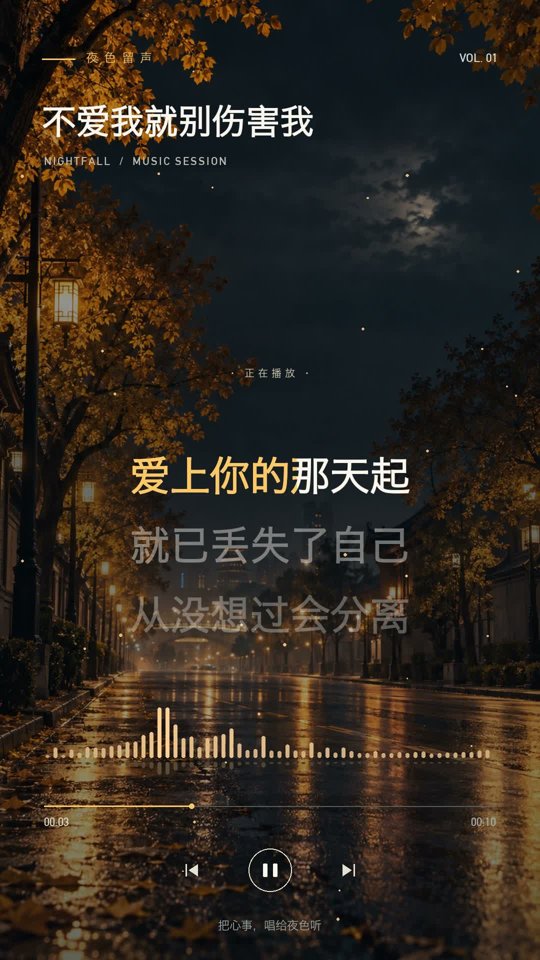
AI captions, karaoke lyrics, and music visualizers — all in one place.
No timeline to wrestle with. No editing experience required.
Upload a song or recording. Have a video? We’ll use its audio track.
Pick a template. Set the colors, captions, and frame. Make it feel like you.
Generate your video, preview the result, and download your MP4.
From late-night lyrics to bright new ideas.
Choose a starting point, then add your touch.
Warm lights. Late-night feelings.
A little dreamy. A little electric.
Just you and the music.
Soft colors. Something to say.
Automatic captions turn your soundtrack into readable text. Karaoke-style highlights bring each word into the moment.
Singing and overlapping voices can affect accuracy. Always preview your result.
Find a little light
In every little sound
Let the moment stay
Simple answers before you press play.
Upload an audio file, choose a visual style and aspect ratio, then generate. The tool combines your soundtrack with a background, an optional music visualizer and automatically timed captions to create an MP4.
Yes. Upload an MP4, MOV, WebM or MKV file with an audio track. The tool extracts its soundtrack and creates new visuals; the original video frames are not used.
Yes. There is no payment or subscription in this version. Files are limited to 100 MB and 3 minutes, and an hourly generation limit keeps the shared rendering queue available.
No. Automatic recognition can make mistakes, especially with singing, long notes, loud instruments and overlapping voices. Preview your result before sharing. You can also turn captions off to create a music visualizer.
Videos export as MP4 with H.264 video and AAC audio. Choose portrait (9:16), landscape (16:9) or square (1:1), at 720p or 1080p.
Your files are processed on the server and your results are accessible only through your browser session. Finished media is automatically removed after 24 hours. Download your video before it expires.
Free to use. No sign-up. Just create.